WordPress, meet iPad: How to Install WordPress from Your iPad
June 6, 2011
WordPress and iPad are two pretty significant things in my life right now. Recently I bought my very first iPad and, inbetween playing World of Goo, making music on my Korg, and buying apps, I’ve been trying to figure out if I can replace my laptop with my iPad so it can be my number one on-the-go device. I want my iPad to be more than a toy and actually be useful beyond playing Solitaire (which is what I have done most of on my iPad).
This week, I want to see if I can build my brand new portfolio website using only my iPad. Everything, from installation, to images, graphics and content - can I do it on my iPad? I’ll be posting about it all week. As yet, I’m not quite sure how successful I will be so you could witness a massive flop.
In the first instance I thought “yeah, easy!” I went to download WordPress using Safari and realized that I couldn’t actually download the files as the iOS doesn’t have a native file system. Not so easy as I thought – spanner very much in works. But I endeavored and today have seen much success with installation. Let’s get to it:
Tutorial: Installing WordPress from your iPad
You could, if your web hosting offers it, install WordPress using Fantastico – one click and WordPress is installed. But that wouldn’t make for a very interesting post, and anyway, not everyone has access to Fantastico. Instead I knew I had to figure out a way to download WordPress, edit wp-config and FTP the whole thing back up onto my server. This would involve apps and it took a while to figure out the right tools, but I found them. Neither are free but these apps are cheap and definitely worth it.
iCab is a browser for your iPad. Unlike Safari, you can use it to download files and then transfer them to other programs such as Dropbox or your FTP. Not only that, but it uses tabbed browsing so you don’t have to keep zooming in and out of your browser to move pages.
Goodreader is an app for reading and editing files. It was built for docs, txt and pdf but it also has great FTP functionality which you can use to upload WordPress and other files on to your server. I did try out FTP on the Go but (after forking out £5.99 for it) I discovered that you can’t upload folders and the idea of recreating the whole file system on my server made my eyes hurt. That’ll teach me to read the reviews in the future.
Tip: A handy shortcut is to doubletap on your home button. This brings up a toolbar which makes it easy to navigate around your programs.
Let’s go through the normal WordPress installation sequence. I’m assuming that you have some knowledge of installing WordPress already:
2. Open iCab and navigate to WordPress.org. Click Download
3. Click the Download icon in iCab:
4. Select “Open in external App”
5. Choose GoodReader. The file will be transferred to Goodreader.
6. Unzip the file
7. Find wp-config-sample.php. Select it and choose to view in TXT viewer
8. Add your database name, username and host.
9. Add your unique keys and salts. Save
10. Select “Manage Files”
11. Select wp-config-sample.php and then click rename.
12. Rename the file wp-config.php
13. Add an FTP server.
These will be your normal FTP details.
14. Tap on your server to connect
15. Navigate to the folder you want WordPress to live.
16. Upload.
This is so much slower than standard FTP so be prepared to wait. It took around 10 minutes for me.
17. Navigate to your domain. If you’re lucky you’ll get the install page. If you’re unlucky, like me, you’ll get a 500 Internal Server Error:
Poor me. Here it is in all it’s glory.
Internal Server Error
The server encountered an internal error or misconfiguration and was unable to complete your request.
Please contact the server administrator, me@mysite.com and inform them of the time the error occurred, and anything you might have done that may have caused the error.
More information about this error may be available in the server error log.
Additionally, a 500 Internal Server Error error was encountered while trying to use an ErrorDocument to handle the request.
To solve this problem I had to create and edit a .htaccess file. GoodReader doesn’t seem to like .htaccess and it adds a .txt onto the end. To solve this I downloaded a .htaccess file from another one of my sites via FTP and added the following code:
# BEGIN WordPress
RewriteEngine On
RewriteBase /
RewriteCond %{REQUEST_FILENAME} !-f
RewriteCond %{REQUEST_FILENAME} !-d
RewriteRule . /index.php [L]
# END WordPress
(Thanks to Edwardkhoo for this fix)
Then I uploaded the .htaccess file onto my server.
Hopefully you won’t have to go through all of this rigmarole. Instead you should visit your page and you’ll have the setup screen:
Fill in your details.
18. You are done!
A little bit more complex than the usual five minute install but it’s definitely do-able.
Tomorrow I’m going to install my new theme and get it looking snazzy.
How to Install WordPress in Under 90 Seconds
June 6, 2011
You thought the famous 5-minute install for WordPress was zippy fast. Now there’s an even faster way to get a WorPress site running on your server, and it literally takes less than two minutes to setup – no exaggeration!
SetupBOT is a unique site-to-site installer for web applications and it can be used to install WordPress in under 90 seconds. It requires no downloads and no technical knowledge. Try out the demo – the install is guided so you don’t need step-by-step guide instructions. Simply fill in the info it asks you for on each screen.
Here’s a 90 second video of how it’s done:
You can rest easy, because all information is sent over secure https and no information is kept. It’s not even stored temporarily.
So, Setupbot can install WordPress super fast. What else can it do?
You can use Setupbot to speed up many WordPress-related tasks:
- Detects domain’s root folder on many servers
- User can select path to home page if not auto-detected
- Detects .htaccess requirements, makes edits and backups
- Detect Zend/ioncube dependency and install on most servers
- Create cron jobs
- Create and populate mysql tables
- Set folder/file permissions
- Gather custom configuration details and writes/edits config files
- Install wordpress plugins
- Display license agreement and require agreement
- Display thank you and readme message at end of install
- Won’t overwrite existing installs in selected folder
- Remembers the install folder so it doesn’t have to ask ever again for that domain
Beyond installs, Setupbot can also quickly handle upgrades. It’s capable of automatically creating backups before upgrading and can even complete one-click upgrades, just like when you upgrade through WordPress. Setupbot will also run the script to upgrade databases, if required.
SetupBOT is not just for WordPress – that’s just an example of the range of tasks it’s capable of completing. It can actually be used for any commercial application.
If you want to simplify the WordPress install process and cut down on the time you spend transferring files, check out the SetupBOT demo installer.
Assholes? The real Joost & WPMU DEV story…
June 5, 2011
If you’d like a little context, this post is in response to Yoast’s accusations of copyright infringements, the comments on that post and the comments on the WP Candy report of that post… not to mention the odd tweet and email, read on, and keep an open mind…
Hang on here, what just happened?
Loyal visitors of WP Candy, Yoast, or perhaps those just from following a few WP related Twitter accounts, could hardly have passed the weekend without hearing something unpleasant about our company, WPMU DEV.
As was reported, we were sent a C&D by Joost (of Yoast) in essence alleging that we had stolen and were reselling elements of his SEO plugin as part of our own.
But let’s drop the legalese, here’s what he actually said a week prior (it’s a bit more concise and interesting too):
“Copy someone’s plugin code, remove copyrights, make a premium version: profit! That’s how @WPMUDEV seems to roll now. Assholes.”
And here’s just a small taster of the comments on both his and the WP Candy posts that his report inspired… (without even going into the Twitterverse):
“this doesnt surprise me from these people” josemv
“underhanded” Gary
“it is our duty to boycott all their products” Zohir
“damn sneaky and very poor form from WPMU” Ed
“Incusub’s [sic.] business model has always been to harvest the fruits of the WordPress community, stick them behind a pay-wall and charge high subscription fees to organizations whose IT departments donít know any better. ” Donnacha Wordskill
“Creative versus parasitic. Joost (Yoast.com) is a significant asset to the WordPress community, while WPMU DEV is not” Frank Eves
Oh and ok, just one from the Twitterverse, cos it’s from Nacin:
“Color me surprised, @wpmuorg. Your premium SEO plugin is a white-label rip of @yoast’s? Community is about respect, guys.”
And an even more stressful email from wordpress.org:
From Plugins Support plugins@wordpress.org
“Hi,
Your pluginhttp://wordpress.org/extend/plugins/wordpress-seo-plugin
is an identical copy of
http://wordpress.org/extend/plugins/wordpress-seo/
It has therefore been withdrawn.
Mark”
All of which was encouraged, praised and spurred on by Joost.
Yikes, that’s not very good, you guys must be scum!
Well, it’d certainly seem that no shortage of people think that, and you can hardly blame them given what’s been put out there, but let’s take a look at exactly what happened, so at the very least you can decide for yourself.
Back in the day… We decide to make an SEO plugin, as our users at WPMU DEV were clamoring for it, needless to say we took inspiration from and tried to improve on existing WP plugins (not to do so would be like making a new car without looking at anyone elses’ :)
Still back there… We assign a new-ish developer – Ulrich Sossou – to the project. He provides a series of alphas and betas, we test, check the code on them and then publish a beta to WPMU DEV, this process continues, at one point later on a request is made to include a feature like the one on wordpress seo, he does it, it’s well received.
As it was already a beta, and it worked well, we didn’t double check his code at that time… big mistake!
Zooming forward to last week… we discover, via the tweet above, that Ulrich’s done a fast one on us and just copied a bunch of Joost’s code for that component (post our initial code checks), utterly aghast, Aaron, our CTO, responds:
@yoast I’m the CTO at @WPMUDEV, we don’t put up with any “copying” of code in our products. Send me a DM with details and I’ll look into it.
@yoast First we’ve heard of it. The dev who wrote it is no longer with @WPMUDEV so can’t talk to him unfortunately.
@yoast Cool, we’ll look at it, and completely rewrite any code that may be copied. Again that’s totally against our policy, so very sorry!
Very shortly after… we do a complete analysis of the plugin, it looks like 15-20% of it is lifted
Less than one night later… we’ve completely rewritten the code, added in attribution for where stuff is ‘inspired by’ and resubmitted it to wordpress.org (it was re-approved) *and emailed Joost* to let him know and ask him to check it’s ok, and also to say sorry, profusely.
5 minutes after that… Joost responds by email that we are ‘probably still violating [his] copyright’, he never tells us where or how though :/, and that ‘A cease & desist demanding you to take down the plugin is already on its way through a courier, to your US and AU addresses… I suggest you take it down and we talk after that and see how we solve this.’
This is on May 27th.
The week passes… we assume that given that he hasn’t pointed out any copyright violations in the rewrite it’s sorted out, we also don’t really know what he means by how we might ‘solve this’, so we just carry on and await his reply.
Then, last weekend (Saturday morning for me, June 4th)… ‘WTF, OMG, GAH, ^&*###$^* !!!!!!!!’ [various noises from Incsub HQ on seeing Joost's post, the WP Candy one and the twitterstorm]
Later on Saturday morning… Aaron chucks up a quick post, understandably pretty upset (given the above), which I then pull because, to be honest, it’s all a bit scary and I at least want to get over my hangover before we ‘officially’ respond.
Sometime on the weekend… wordpress.org re-pull the plugin with no explanation at all, we’re still yet to get one.
And this morning… we discover that Ulrich has decided to fess up to his behavior – which while I’m still utterly fu**ed off with him for, I respect (I should also add that we’ve had no communication with him for months prior to this, it was a surprise to us that he posted this).
So James, what’s your take?
Well, as far as I can see, we screwed up by trusting someone too much, and as soon as we discovered that that trust had been breached, we fixed it.
Then I, as the CEO, screwed up, by not emailing Joost about it once we’d sorted it to personally say sorry and grovel a bit (I’ve since done that, but he hasn’t responded)… although, in fairness to us, our CTO did exactly that right at the time, and given he’s in charge of code that kinda makes more sense.
But the thing that *really* freaks me out the most is that I’ve actually had a long relationship with Joost, we’ve talked on Skype, he’s been an affiliate for us (we even did a special ‘custom’ deal for him), I’ve advertised on Yoast.com, he proposed interviewing me for his podcast and in fact we’ve exchanged, I’d say, ~50 emails.
So why didn’t he just email, or call, me?
Why did he instead kick up this huge fuss in public, egging people on who were saying far more full on stuff?
Why did he not correct any of the baseless rumors that were spawned from what he wrote?
Why did he immediately, at the point that we responded that we were sorry and had fixed stuff up, get his lawyer to write a cease and desist letter that he then couriered to me, in Australia *and* the US, rather than just sending me an email?
Or maybe he could have tried not sending anything at all… after all he knew full well that he was requesting a cease and desist, on something that had already ceased and, um, desisted.
And why then, after all of that, did he whip up an unholy storm in his latest post by saying that:
- we were still hosting the copyright breaking plugin
- we were hurting our customers by exposing them to bugs
- we were charging our customers for something they could have got for free
- we hadn’t yet rewritten the code
When he very well knew that all of those accusations were not just without base but also, downright untrue?
I mean… sheesh.
So are ya saying there’s something fishy here?
I honestly don’t know.
Does he have an ulterior motive?
Promotion of his SEO plugin? Money? Some sort of narcissistic personality disorder?
I have no idea.
But I do know that it’s not really on.
Sure, we stuffed up, but it was without any bad intent, as soon as we found out about the issue we sorted it and we apologized in a most ego destroying manner.
And yet we were still accused of all sorts of badness above and beyond a minor bit of incompetence… in fact you could even say knowingly defamed :/
But as to why that’s happening, it’s beyond me, I’m just really upset that it’s happened and hope that this post has given you a chance to get the other side of this whole fiasco.
Because we’re not ‘Assholes’, honest
Here’s what we are, and what we do, every day, as our full time jobs.
And please don’t take this as self promotion, I just feel like I’ve got a responsibility to our staff who have been tarred with this, and a need to clear up some misconceptions about who we are and how we operate.
We’re a group of 17 bloody hard working folk who are dedicated to providing the best possible WordPress resources that we can, in both paid and unpaid contexts.
Not only do we offer an enormous range of paid plugins, all custom developed by us, to paying members of WPMU DEV, but we also aim to ‘give back’ as much as we can, as far as we can, as often as we can.
We’re one of the (if not the) fastest growing contributors to wordpress.org free plugins, we also have our very own large free plugin and theme section.
We also pay two full time staff to write right here, at the award winning and leading WordPress tutorial / resource site on the web – WPMU.org and sponsor multiple WordCamps too (WordCamp UK and Asia just last month and next).
We’re 100% GPL, it’s the only license we’ve ever had, we all love WordPress with a passion, and we’re all dedicated to improving and expanding the reach and quality of the kind of sites people can put together with WordPress.
If you want to pick a target to hate on, go pick on some polluting multinational, or someone who’s actually deliberately not doing right by the WordPress Community.
Don’t pick on a really small group of decent folk, trying their absolute hardest to do good work, with no bad intention whatsoever and who rely on the community to feed their families!
And if you are going to pick us as a target, please take a minute and do so fairly, nobody and no organization is perfect, but we try our hardest and you need to remember that in casting spurious accusations at us, you’re damaging our very real livelihoods, this isn’t just a mock debate.
And in participating in, allowing, promoting, supporting and egging on people who do that, you’re also damaging WordPress.
Daily Tip: Export BuddyPress Users to a CSV File in One Click
June 5, 2011
BuddyPress community managers have been asking for a way to easily export their users in order to use the information offline or copy the users into another site. Now that’s possible with a new plugin called BP Export Users.
This is a simple plugin that adds an “Export Users” menu item under the Tools menu. Once there you will see only one button. One click and you’re immediately downloading a CSV file with all of your BuddyPress users. I tested it this afternoon and it worked perfectly as advertised.
BP Export Users is available for free from the WordPress plugin repository. I’m hoping the plugin author will add in an importer with the capability to import the same file format that it exports. Anyone else interested?
Daily Tip: Upload Zip Files to the WordPress Media Library and Attach to Any Post or Page
June 4, 2011
I love handy little plugins that can save you loads of time. Upload Media by Zip is a new plugin that saves you the hassle of having to select and upload multiple files in order to attach them to a post. It allows you to upload a zip file from your computer and then let WordPress unpack it and attach all of the content to a page or post.
Here’s what it looks like from the Media menu if you don’t need to attach the contents to a specific post:
When working in the post edit screen, you upload zip files by clicking on the new icon attached to the editor:
If you ever need to attach hundreds of images or other file types to a post, then this plugin will help you do that much faster. The Upload Media by Zip is available for free from the WordPress plugin repository.
A Response to Joost
June 3, 2011
Last week we were notified through an (understandably) angry tweet that our WPMU DEV SEO plugin contained code adapted from the Yoast SEO plugin. It was also just announced on the Yoast blog.
We very quickly looked into it and it appeared that approximately 20% of our plugin’s code (by line count) was adapted from the plugin. Our plugin has 6 main feature modules which make it what we believe to be the ultimate WordPress SEO plugin:
- Title & Meta Optimization – Customize how your site appears when search engines find you
- Powerful Sitemaps that support custom post types, taxonomies, video sitemaps, and news sitemaps
- Automatic Linking – automates deep linking within your site’s post and pages so that crawlers can quickly and easily index all of your content.
- SEOmoz API – In a matter of seconds you can be funneling stats and ranking information for your site from the most highly-regarded SEO experts in the industry right from the dashboard.
- Full Multisite Support and Control – choose what features your blog admins can see or control.
- Easy Setup Wizard – SEO is complicated! We add an easy wizard that guides you in configuring your site’s SEO step by step.
Only two of these modules somewhat overlap/compete with the Yoast SEO plugin! And it was only the code tied to the Title & Meta Optimization module that appeared to be adapted, as well as some XSL stylesheets for sitemaps that were separately released on the Yoast website outside of his plugin. It’s a far cry from the wholesale copying of a plugin we were accused of, but still quite unacceptable.
Our Response
Wholesale copying of any code by our developers is very much against our policy. It was a big mistake and our fault for not catching it (though hard when we have a team of 7+ devs around the world releasing 1 or 2 premium plugins every week, and we don’t as a rule run comparisons with every other plugin out there constantly, we trust our developers). So within 24 hours of being notified here’s what we did to make things right:
- We’ve severed our relationship with the original developer who did this without our knowledge.
- We issued an apology to Joost (the Yoast plugin author).
- We had our developer work through the night and rewrite whatever we could find that was similar to the Yoast plugin. We tried to remove whatever was the same code. Here is our commit with edits for proof.
- Even though we changed the code, we added “Inspired By” attribution to our source code to give credit where it’s due (we have no problem admitting that we took inspiration for the Title & Meta Optimization part of our plugin from his). See for yourself!
- We did a complete review of our systems to make sure this doesn’t happen again, we also reviewed and will continue to review everything that developer ever touched while working for us.
We pride ourselves in the quality, creativity, and originality of the code in our 120+ free and premium plugins. And don’t just take our (or Joost’s) word for it, review the code differences between the two yourself. We really tried to do the right thing here, but unfortunately Joost has decided to take legal action against us.
Oh well, we’ll just continue to create more amazing and original plugins for the WordPress community!
And be sure to try our SEO plugin out for yourself!
Will You Buy the Official Nivo Slider Plugin?
June 3, 2011
One of my favorite things in the world ever ever ever is the Nivo Slider by Dev7Studios. I’m frequently using it for different projects and think it’s pretty much the best jQuery slider out there. And now, Dev7Studios have released their own WordPress plugin. Here’s what they have to say:
The official Nivo Slider WordPress Plugin allows you to combine the beauty and elegance of the Nivo Slider with the robust and familiar content management of WordPress.
Without touching any code you can create multiple sliders that can be included anywhere in your posts and pages and customized using the familiar WordPress backend.
Of course, we all know that are one or two Nivo Slider plugins out there already but, to be honest, I’ve never really found any of them to quite do what I need and have always ended up using the code. The plugin from Dev7Studios comes with these features:
- Create an unlimited number of sliders
- Shortcodes for including sliders in posts and pages
- Manually create sliders, use post thumbnails or sticky posts
- Auto-crop and fit images
- Powerful yet simple slider customization pages
- Drag and drop ordering of slides
But this comes for a price – and the price is $15. Personally, I think that’s a steal for such an awesome tool and it gives back to the guys who made the plugin in the first place.
What do you think? Will you be buying the Nivo Slider Plugin?
Troubleshooting WordPress: 404 Errors with Custom Post Types
June 3, 2011
We all love custom post types. They’ve really opened up WordPress to all sorts of new possibilities. But sometimes they have a habit of acting funny and need to be slapped around a bit to play nice. I spoke to David, one of our Help and Support Pros, and he said that a common problem that crops up again and again on the WPMU DEV support forums is a 404 messsage appearing when using custom post types.
Before you start pulling out your hair these are the first things you should do:
1. Go to Settings > Permalinks
2. Change your permalinks to something different to what you have
3. Save
4. Change your permalinks back to your preferred setting
This flushes the rewrite rules and should provide a solution to your problem.
Remember that many plugins use custom post types so even if you think you aren’t using them you might just be.
Still stuck? Check out this post on WordImpressed for more.
Free Plugin Lets You Use WordPress Multisite to Power Multiple BuddyPress Social Networks
June 3, 2011
Currently the default support for BuddyPress within WordPress Multisite is only for the main site. But what if you could have multiple social networks running on one WordPress installation, each having its own separate environment? BuddyPress enthusiasts have been asking for this feature ever since the plugin came on the scene. Now there’s a plugin for that!
We recently ran an article announcing Multiple Instances of BuddyPress Coming Soon to WordPress Multisite. One of our WPMU DEV members got in touch with us to let us know about the work he has been doing to make this possible. He has created BuddyPress Multi Site, a plugin which enables you to run multiple instances of BuddyPress on WordPress Multisite.
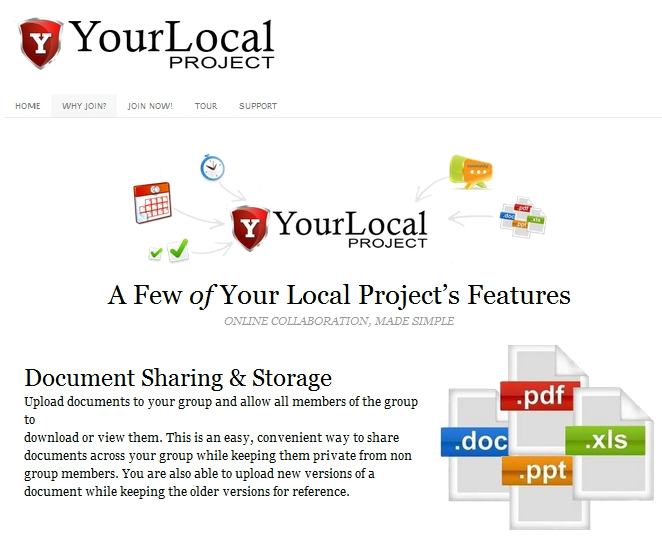
BP Multi Site is currently being used to power YourLocalProject.com, a place for online collaboration, which includes groups, document sharing, discussion forums, calendars, messaging, profiles, blogging, task management and a host of other features for businesses and organizations.
YourLocalProject.com is a great example of what’s possible with BP Multi Site. This plugin essentially allows you to provide a hosted version of BuddyPress for your users to take advantage of for creating their own social networks. Mike, the plugin’s developer, has kindly allowed us to offer the plugin on wpmu.org for free.
We’re happy to offer this plugin for free to our faithful wpmu.org readers. Download your copy of BP Multi Site today to add unlimited BuddyPress communities to your WordPress multisite network.
Interview: Brett Sirianni, BuddyPress Activity Plus Creator and Communications Coordinator at The Edge
June 2, 2011
This month saw the launch of our BuddyPress Activity Plus plugin, which was developed for The Edge in Queensland. Brett Sirianni from The Edge came to us looking for a way for BuddyPress users to be able to share media in their activity stream. On top of that he wanted to release the plugin to the WordPress and BuddyPress community for free! Of course, we couldn’t wait to get started on it as there’s nothing we love more than a new innovation and last week we launched the plugin.
View from the Edge's roof
I spoke to Brett this week to find out more about The Edge, why they wanted to plugin developed and why they wanted to release it for free. Here’s what he had to say.
What is The Edge?
The Edge is an initiative of the State Library of Queensland. It is a place for young Queenslanders; a place for experimentation and creativity, giving contemporary tools to young people to allow them to explore critical ideas, green initiatives, new design practices and media making. The Edge was opened on 26 February 2010. It is a key platform of the Queensland Government’s arts culture + me Young People in Arts Action Plan 2008–2011 and cost $10.15 million to refurbish the existing State Library of Queensland auditorium and fit out The Edge.
What is a digital culture centre?
In The Edge’s case, it is a centre full of equipment like hardware and software for video and filmmaking, sound recording, and graphic design – plus open wireless internet, places to hold meetings or study, a coffee stop to recharge on snacks and fair trade coffee.
As well as equipment, The Edge also offers workshops to help people learn to use the gear on offer and develop other new skills.
Beyond the physical facilities, The Edge is the focal point for a virtual community of creators and innovators. The Edge hopes to grow its online community so that regional Queenslanders can contribute to workshops and discussions, as well as people from other parts of Australia and the rest of the world.
Band playing in The Edge's auditorium
Who uses The Edge?
Its primary focus is young people aged 15 to 25 years; however, it is available for anyone who wants to organise or contribute to projects and other activities such as workshops, seminars, think tanks, gigs, screenings, and competitions. The Edge is coordinated by a small team of staff and Catalysts and Residents come and go on different days of the week.
Why do you use BuddyPress?
I believe that it is the next form of what a website needs to be, and creates some ownership for each user of a website.
How do you use BuddyPress?
I use BuddyPress as a social network, for users to share the content that they have created and to meet and connect with people to collaborate with.
How does your online community interact with your physical community at The Edge?
It digitally replicates what naturally happens at The Edge. People physically come here learn from each other, collaborate on projects and create with like minded people.
The online community will do the same through friendship connections, groups and some other features we are building in. The online community will also be able to reach further and cater for users across Queensland and across the world.
Why did you want the BuddyPress Activity Plus developed?
Because the people who use The Edge create content, and we wanted to provide a space for them to share that content with each other and beyond.
What do you think it will bring to your community?
Not only will it allow users to show off their creativity, they will also be able to learn from each other and collectively grow the profile of Art, Technology and Sustainability in Queensland, and mix it with the rest of the world
One of The Edge's Labs
How did you find the development process? Did you enjoy working with WPMU DEV?
I worked on the brief for a long time, and once I was happy with it I pushed it out to the WordPress / BuddyPress development community. I contacted dozens of developers, but when I received a reply from WPMU DEV, their excitement and enthusiasm in the concept, and the fact that The Edge would release it free to the WP / BP community,matched, if not exceeded mine. This gave me confidence in handing over my design to them. The job was turned around in lightning fast time, and worked without a hitch. The communication was constant as well which made me enjoy working with WPMU DEV.
Why did you decide to release this plugin to the WordPress community?
The Edge is a free resource, a space where we provide bookable high end Macs, a recoding studio, auditorium, and work spaces with the best view of the river in Brisbane. We also provide free workshops and learning for our users, so if there is any way we can support creative people we will. Releasing this plugin to the community is doing exactly that.
Any more development plans for the future?
Plenty. We will be putting the community in the hands of our users, so it will be interesting to see what they come up with to firstly push The Edge community and also to better the wider WordPress / BuddyPress community.