


Add Drag & Drop File Uploading to the WordPress Post Editor
March 11, 2011
If you are constantly creating content with WordPress, then you know that using the media file uploader can become rather tedious, requiring many clicks to get your media added to your library and included in your post. A new plugin is available for free in the WordPress repository that simplifies and modernizes the workflow of file uploads in WordPress.
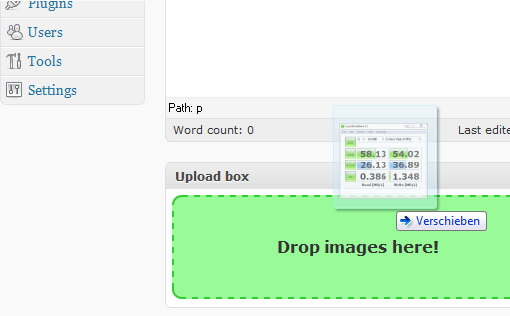
Drag & Drop File Uploader adds a box below the post editor where you can drag and drop files directly from your filemanager. The images that you drop there will be added directly to the post you’re writing.
The best part is that you can even drop multiple images and have them upload at the same time.
This plugin uses the new HTML5-Filereader-API, which is supported by several modern browsers. It was created based on Sebastian Tschan’s jQuery File Upload. The Drag & Drop File Uploader has been tested and works successfully with the following browsers:
- Google Chrome – 7.0, 8.0, 9.0
- Apple Safari – 5.0 (but not the Windows version of Safari)
- Mozilla Firefox – 3.6
Chances are pretty good that you’re already running one of those browsers, so you’ll be able to take advantage of this plugin.
The Drag & Drop File Uploader is being actively supported and you can keep track of updates on the plugin’s homepage. This is the first release so be patient and helpful while the bugs are being worked out.
What are your thoughts on the plugin? Will this save you some time? I like the convenience of drag and drop but wish the box was a little smaller and less obtrusive, perhaps more the way a drag and drop shopping cart operates and updates in a smaller space. Other than that, I think this plugin will be a great addition to the toolbox of any WordPress admin who creates content on a daily basis.
Because this plugin/widget is provided free of charge, I simply ask you to link back to Pressography.com in a post on your blog, or from one of your sites. It doesn't need to be anything fancy - just a note saying that you're using it, and whether or not you like it. However, there is no requirement that you do this, you're free to use the plugin regardless.



Comments
Got something to say?